Troubleshooting · a guide, not a sales page
How to reset a garage door opener
“Reset” can mean four different things on a garage door opener. The first two change nothing you will miss. The third erases every remote and keypad in the house, which is why it comes late rather than first. The fourth is a setting best left alone.
The short answer
How do you reset a garage door opener? The short answer
Start with the cheapest reset: cut the power to the opener for a minute and restore it. That clears a confused control board and erases nothing — Chamberlain says programmed remotes survive even a long unplug.
Clearing the memory — the long press on the learn button that wipes every paired remote and keypad — is the last step, not the first, because everything paired to that opener then has to be paired again.
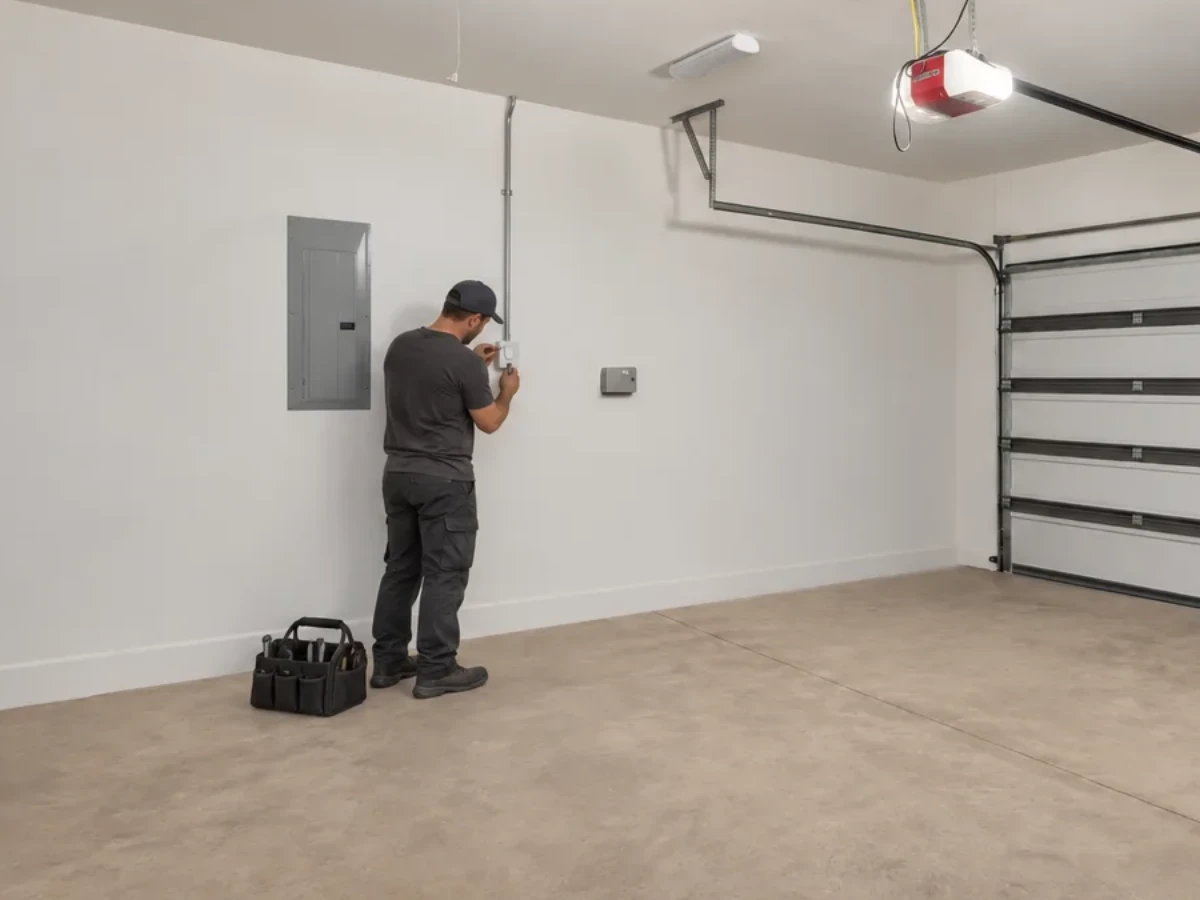
Four things people mean by “reset”
- A power cycle Unplug the opener, wait a minute, plug it back in. Clears a stuck board and erases nothing.
- Re-pairing a remote or keypad Teaching one control to the opener again. Everything else stays paired.
- Clearing the memory Wiping every paired remote, keypad and car button from the opener. Everything has to be re-taught afterwards.
- Resetting the travel limits and force Teaching the opener where the floor and the top of the travel are. A setting, and the one most often adjusted when it should not be.
Working down that list in order saves the most work, because most problems stop at the first or second row.
Start with power, because it costs nothing
Unplug the opener at the ceiling socket, leave it for a minute, and plug it back in. A control board that has locked up after a power flicker or a storm frequently comes back at this point, with every remote still paired.
Chamberlain’s support pages say programming is not erased when the opener is unplugged, even for a long period: the remotes work again when it is plugged back in.
While the power is off, it is worth looking at the obvious: is the socket itself live, has a breaker tripped, has a GFCI outlet popped. An opener that is dark is not a programming problem.
If the opener has a wall console with a lock setting, check that too. A locked console disables the remotes deliberately, and it reads exactly like a dead opener.
Free Estimates
5-Year Warranty on All Parts & Labor.Five years on parts and labor, every repair and every install. We look at the door with you first, and nothing starts until you approve the number.
Clearing the memory, and what it costs you
On LiftMaster and Chamberlain openers, Chamberlain’s steps are to press and hold the learn button until its light turns off, which it puts at about six seconds, then to reprogram each remote and keypad you want to keep. Every remote, every keypad and every button programmed into a car then stops working until it is paired again.
That is genuinely the right move in two situations: you have moved into a house and do not know who else holds a remote, or a remote has been lost or stolen. It is the wrong move as a first attempt at a door that will not respond, because it turns one broken control into none.
Before you press anything, note what color that learn button is. On a LiftMaster or a Chamberlain the color tells you which radio system the opener uses, and that decides which remotes can pair with it at all. The maker publishes it, and the guide to programming a remote walks through it.
A Wi-Fi opener adds a separate step. Chamberlain’s table says that on a yellow-button opener the Wi-Fi settings are cleared on their own, by holding the black adjustment button until three beeps. That is a different reset with a different cost; the myQ checklist comes before it.
A Genie uses a rolling code that changes on every press, so a remote that has drifted out of step may need pairing again before it needs replacing.
Travel limits and force: the reset to leave alone
Limits tell the opener where the floor is; force tells it how hard to push before it gives up and reverses. Both are adjustable, and both are frequently wound up to make a symptom go away.
That is worth being blunt about. Increasing the force on a door that reverses because it is dragging removes the warning without removing the cause, and what the warning was protecting is the auto-reverse that stops a closing door on a person.
If a door used to close and now will not, something has usually changed physically — a roller, the track, the balance of the door. Have that looked at before anyone changes a setting. Auto-reverse and door balance are two of the four things on the safety check we do on every visit.
When a reset is not the answer
- The motor runs and the door does not move — that is the door and the opener come apart, not the memory.
- You heard a bang and now it will not lift — treat it as a spring.
- The opener blinks a repeating pattern — read the code before erasing anything.
- It grinds and does not move — usually a drive gear inside the opener; opener repair is the page for it.
None of those four improves after a memory wipe, and one of them gets worse every time the button is pressed.
Free Estimates · a person answers 24/7
5-Year Warranty on All Parts & Labor.Five years on parts and labor, every repair and every install. Call, or send the form and a person calls you back.
Sources
- Chamberlain Group — How to erase a remote from the garage door opener’s memory
- Chamberlain Group — Functions of the Learn/Program button on a garage door opener
- LiftMaster — finding an opener’s technology from the color of its antenna or learn button
- The Genie Company — support and homeowner resources
Sources read , except the two Chamberlain Group pages, read . Linked so you can check them rather than take our word for it.
Written from the manufacturers’ own published guidance — every source is linked above.
What you can count on
- Same-day service on most repairs.
- Upfront pricing. The price is on the estimate you approve before work starts, and the invoice matches it.
Straight answers
Questions people ask about this.
Will resetting the opener delete my remotes?
Will unplugging the opener erase my remotes?
How long do I hold the learn button to erase everything?
I have moved house and do not know who has a remote
Should I turn the force up so it closes?
Is it the opener or the door?
Describe it however makes sense to you
Read enough? Tell us about the door.
However you describe it is enough — no part names needed. The visit and the written estimate cost you nothing, and nothing starts until you approve the number.
- However you describe it is enough. No part names needed.
- The written estimate is free. Nothing owed if you pass.
- Nobody starts the repair until you approve the number.
Calls Answered 24/7
One call, and the door problem becomes ours.
A person answers 24/7. We look at the door with you first, and the written estimate comes before the work.